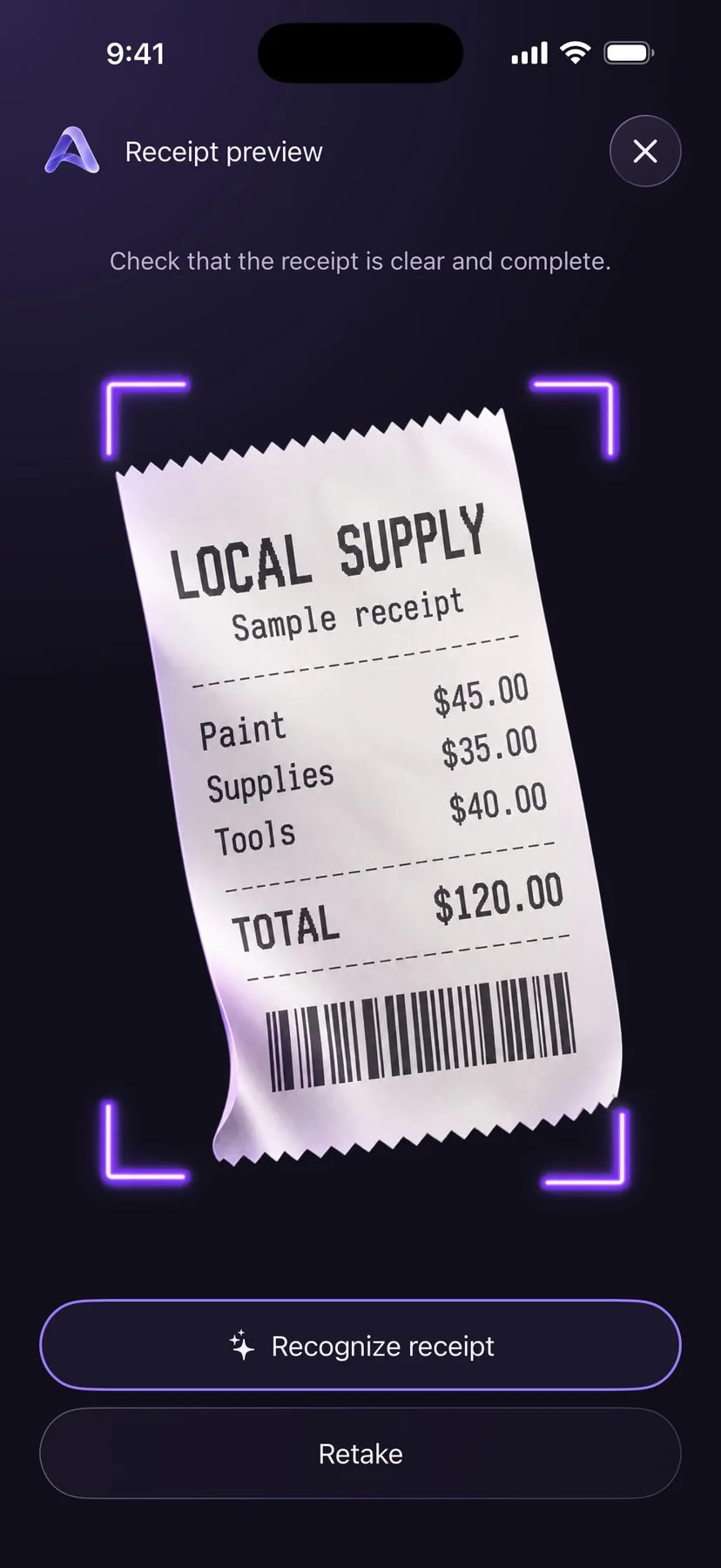
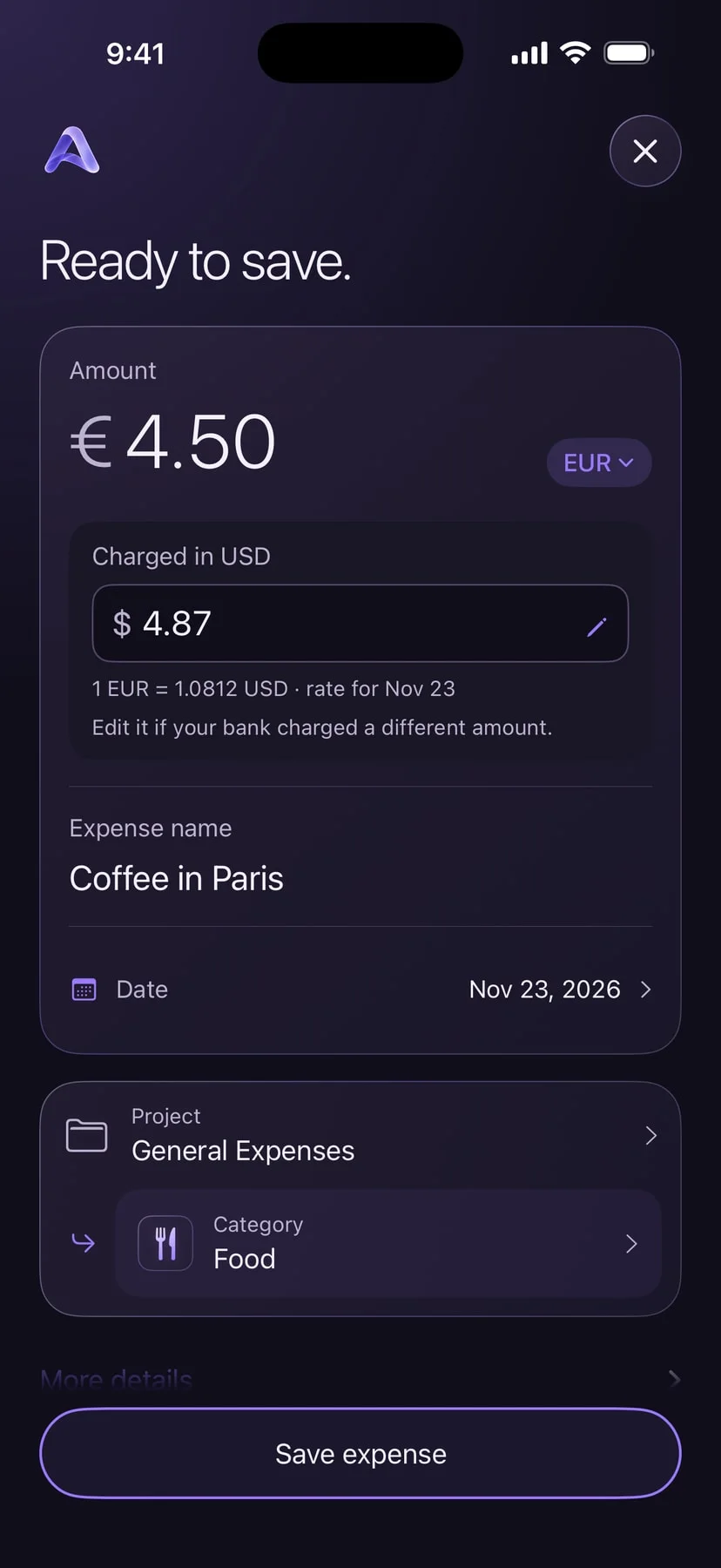
1 Scan
Point at a receipt.
Take a photo or pick one from your library. Actualio reads the total, date and store and prepares a draft, and the original stays attached to the expense.
For iPhone · Coming soon to the App Store
Scan it, say it or type it. Actualio turns every purchase into a clear picture of what each project really costs, in any currency you pay.
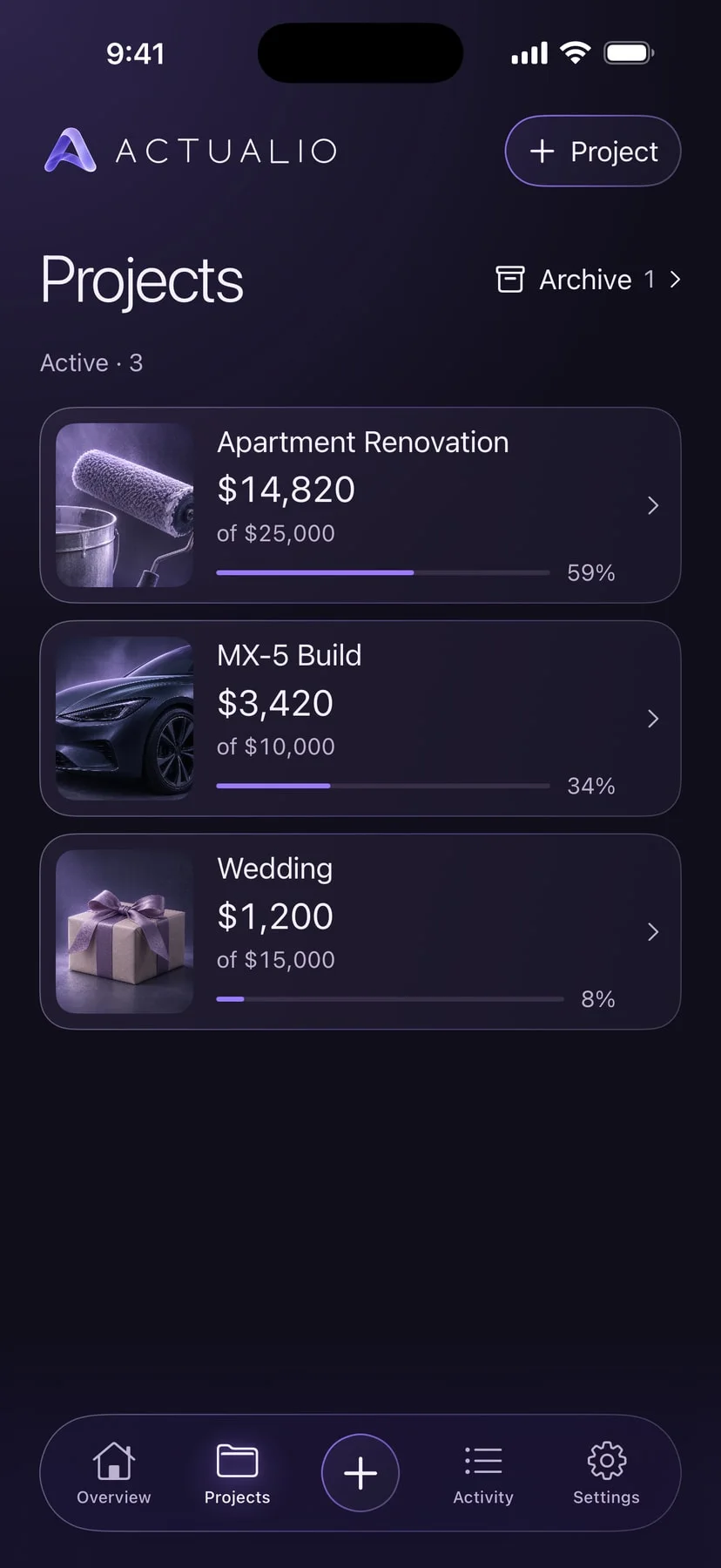
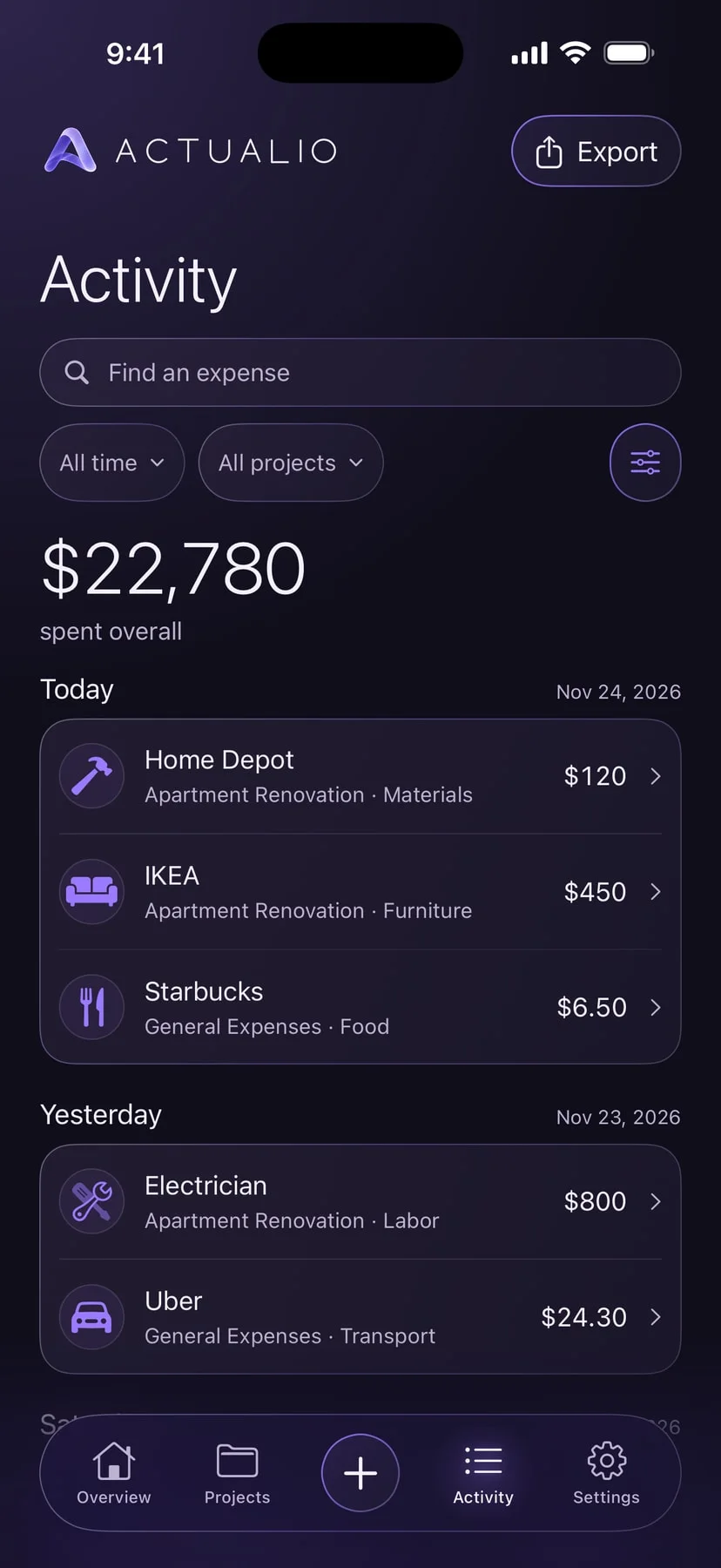
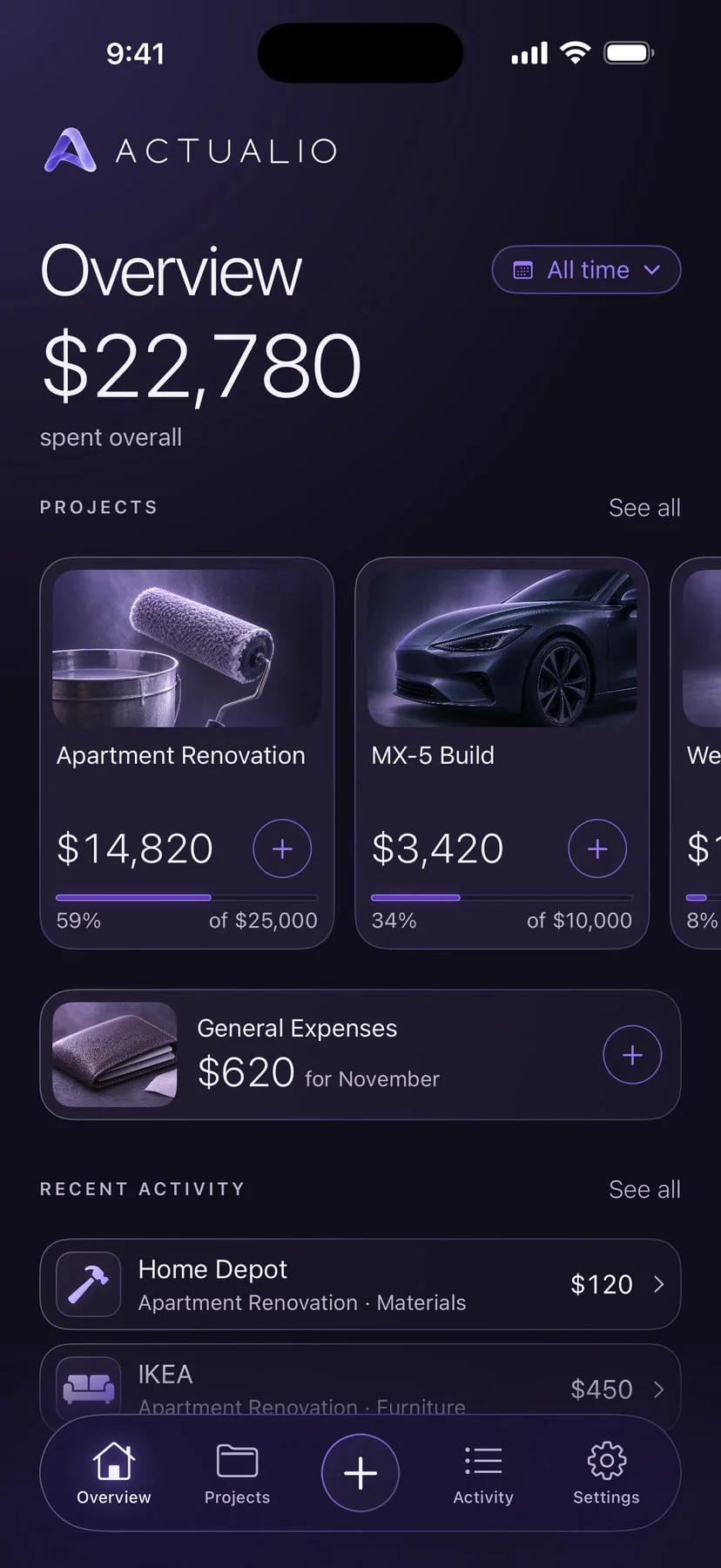
Life doesn’t fit into one category. A renovation, a trip, a wedding, a move: every plan deserves its own place, its own budget and its own clear picture.
01 / Capture
1 Scan
Take a photo or pick one from your library. Actualio reads the total, date and store and prepares a draft, and the original stays attached to the expense.
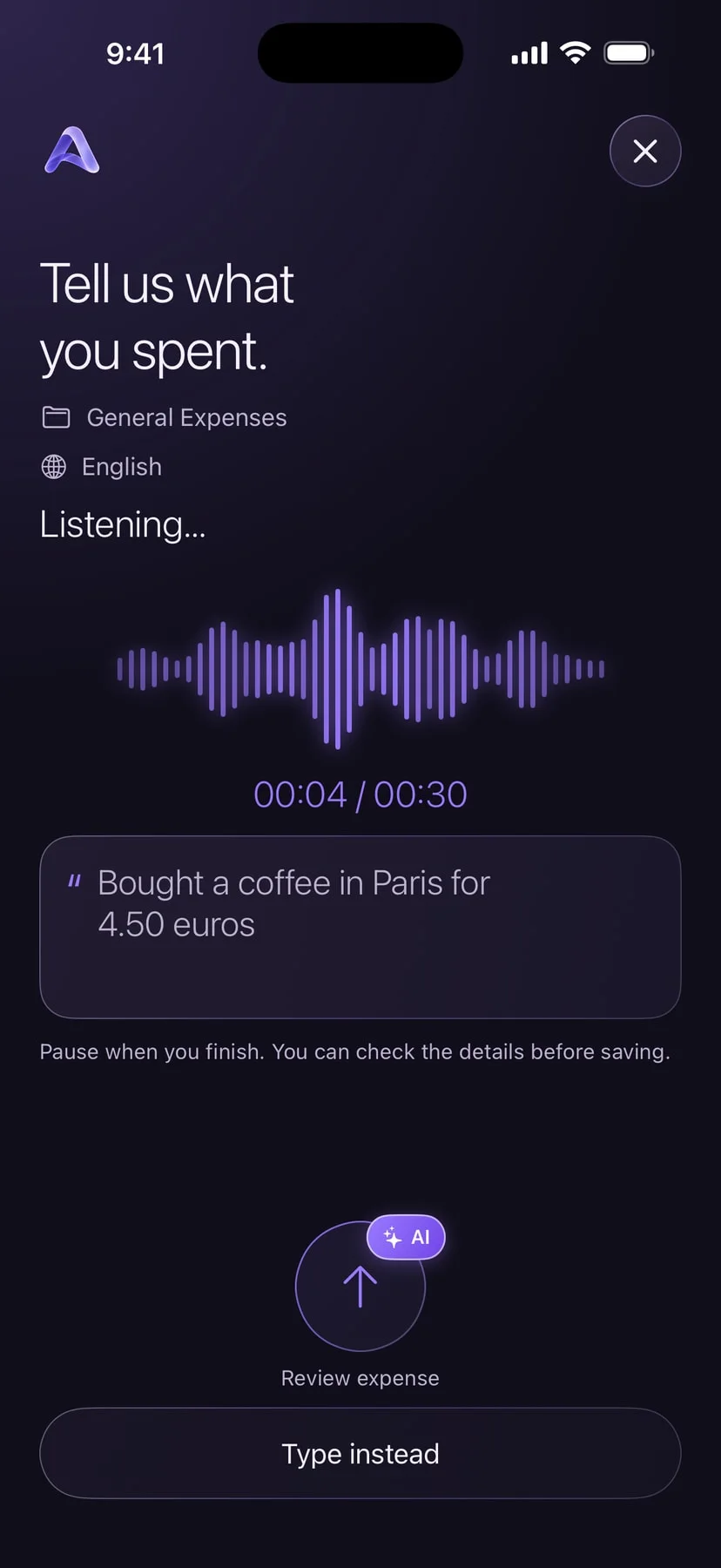
2 Say
“Bought a coffee in Paris for 4.50 euros.” Speak naturally, and the amount, currency, date, project and category land in the right fields.
3 Type
Prefer the keyboard? Start with the amount and add the rest only when it helps. Manual entry is always free and unlimited, and everyday purchases have a home in General Expenses.
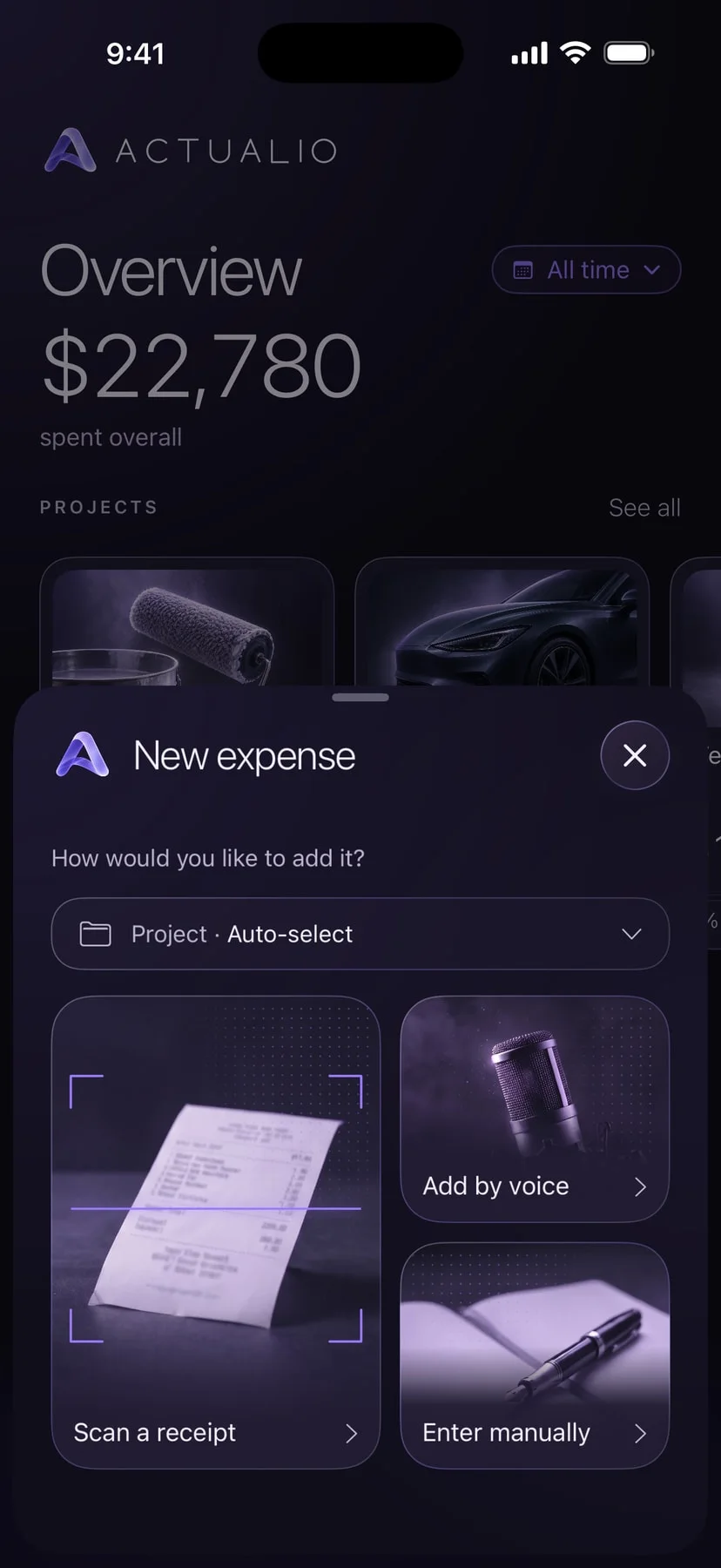
✓ You decide
AI only suggests. You see the draft, correct what you like and press save. Paid abroad? You see the amount in your own currency before saving. Prefer no AI at all? Manual entry always works.
02 / Projects
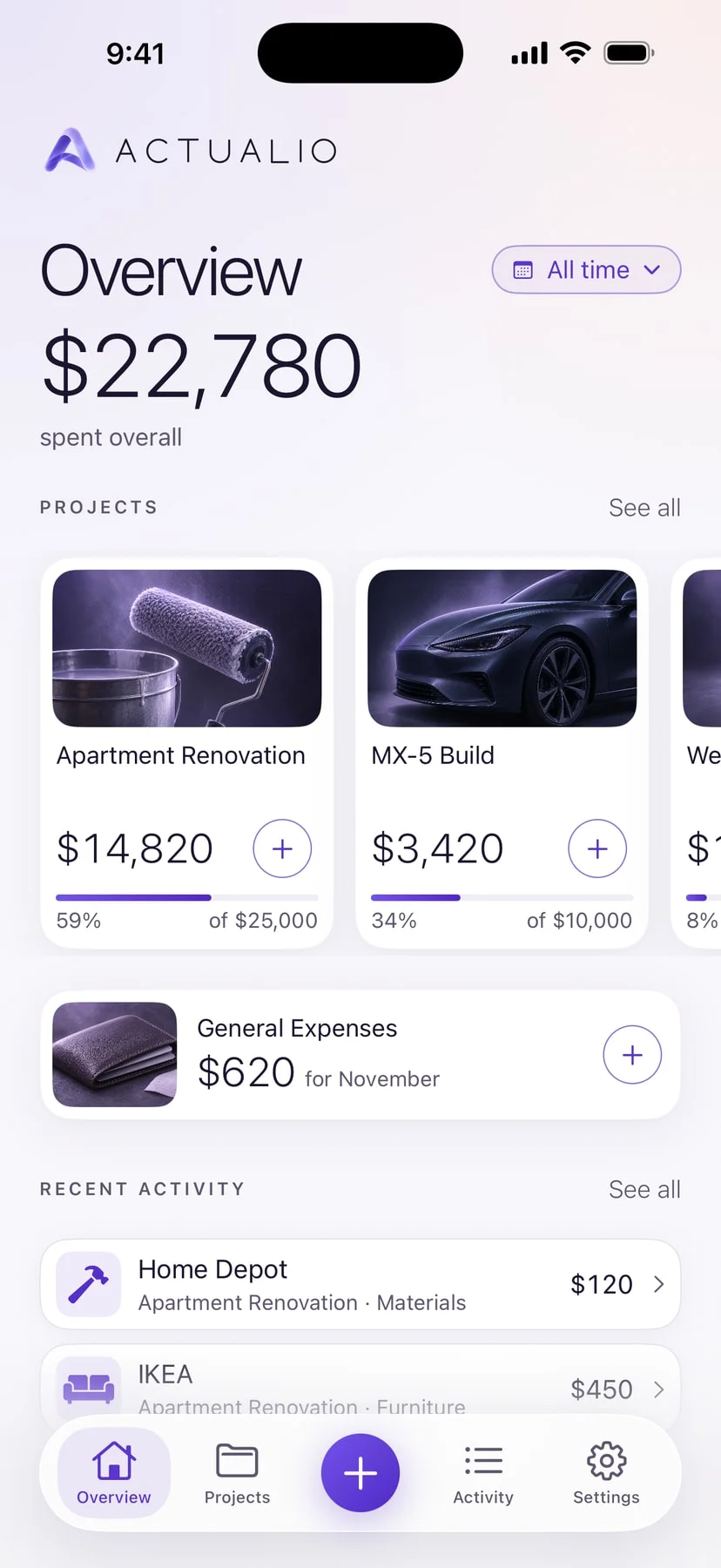
Give each one a cover, a name, categories of its own and a budget if you want one. All examples are illustrative.

$14,820 of $25,000

$1,200 of $5,000

$3,420 of $10,000

$1,200 of $6,000

$840 of $2,500

$640 no budget needed
03 / The big picture
See what each project really costs, where the money went and what’s left, all on one screen.
04 / The details
Export a project or filtered history as CSV. With Pro, share a PDF report that can include every receipt photo.
View a sample report (PDF, opens in a new tab)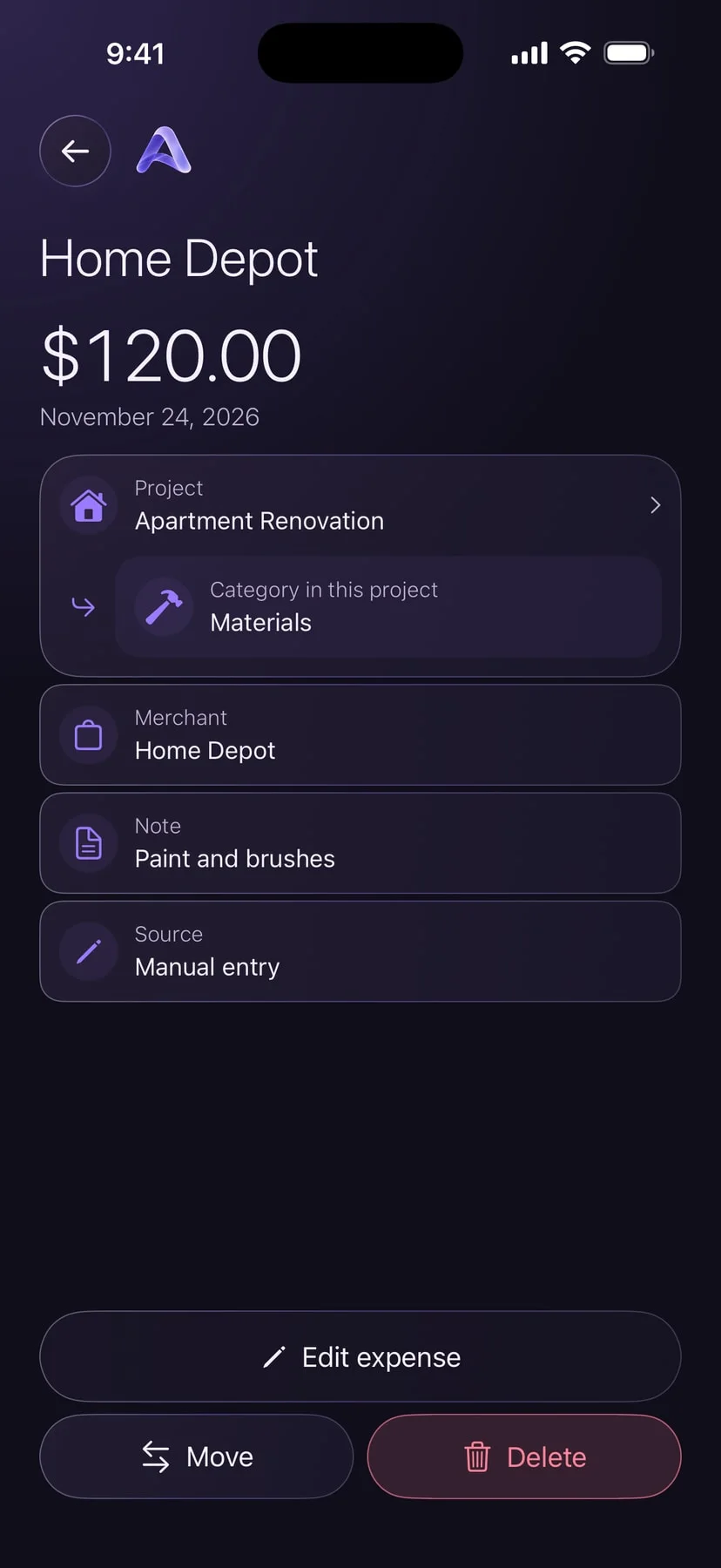
Merchant, note, date and receipt, kept with every expense.
Name them your way, separately for every project.
Enter what you paid. Actualio shows it in your account currency using the reference rate for that day, or the amount your card was charged.
Sign in with Apple, Google or email to keep projects and expenses in your account.
05 / Day and night
A deep violet night and a bright pearl day, designed as two sides of one world. Actualio follows your iPhone, or stays the way you choose, in English, Spanish or Russian.
Drag across the screen.
06 / Free and Pro
Everything you need to keep track by hand, with room to try the smart parts.
For bigger plans, more projects and trips abroad.
Monthly or yearly subscription, priced in your currency in the App Store. Eligible new subscribers can start the yearly plan with a 7-day free trial. Cancel anytime in your App Store settings.
No bank connection. No advertising trackers on this site. AI is optional and asks first. Edit anything, delete everything.
A renovation, a car project, a trip, a celebration, a move, or a project of your own. General Expenses keeps everyday purchases separate from your bigger plans.
No. A project can simply collect expenses and show how much you’ve spent. Add a budget if you also want to see what’s remaining.
Scan a receipt or dictate a purchase, and optional AI processing suggests a draft. You review it and decide whether to save. Before the first use, Actualio asks your permission, and manual entry is always available. More in our privacy policy.
You can export a whole project or your filtered expense history to CSV on any plan. With Pro, you can also create a PDF report with totals, expense details and receipt photos as an optional appendix. Open an example report (PDF, opens in a new tab).
Your account has one currency, and every total is shown in it. When you pay in another currency, enter the original amount: Actualio converts it using a reference rate for the purchase date, and you can replace it with the amount your card was actually charged. When no rate is available, you simply enter the charged amount. The original amount and rate stay with the expense. The Free plan includes 5 such purchases a month; Pro has no limit.
No. Changing the account currency changes how your records are labeled from then on; it does not apply exchange rates or recalculate expenses you have already saved. To record a single purchase made abroad, enter it in the currency you paid instead.
Yes. The Free plan includes unlimited manual entry, one active project plus General Expenses, 10 receipt scans or voice entries and 5 purchases in other currencies a month, and CSV export. Actualio Pro removes the limits and adds PDF reports. It is a monthly or yearly subscription managed by Apple; eligible new subscribers can try the yearly plan free for 7 days, and you can cancel anytime in your App Store settings.
Very soon. Actualio for iPhone is finishing App Store review, and a download link will appear here as soon as it is live. It needs iOS 17 or later. Questions in the meantime? Email [email protected].

Actualio for iPhone is coming to the App Store. Questions, ideas or a little feedback? We’re listening.
Say hello [email protected]For account or privacy requests, write from your account email. Never send passwords or sign-in codes.